![LOGO.svg]](https://help.communityphone.org/hubfs/LOGO.svg)
Steps to Change Your Billing Date
-
Login to Your Community Phone Dashboard
- Visit the Community Phone dashboard.
- Enter your email address and password to sign in.
-
Navigate to Billing
- On the main dashboard page, locate and click on the Billing section.
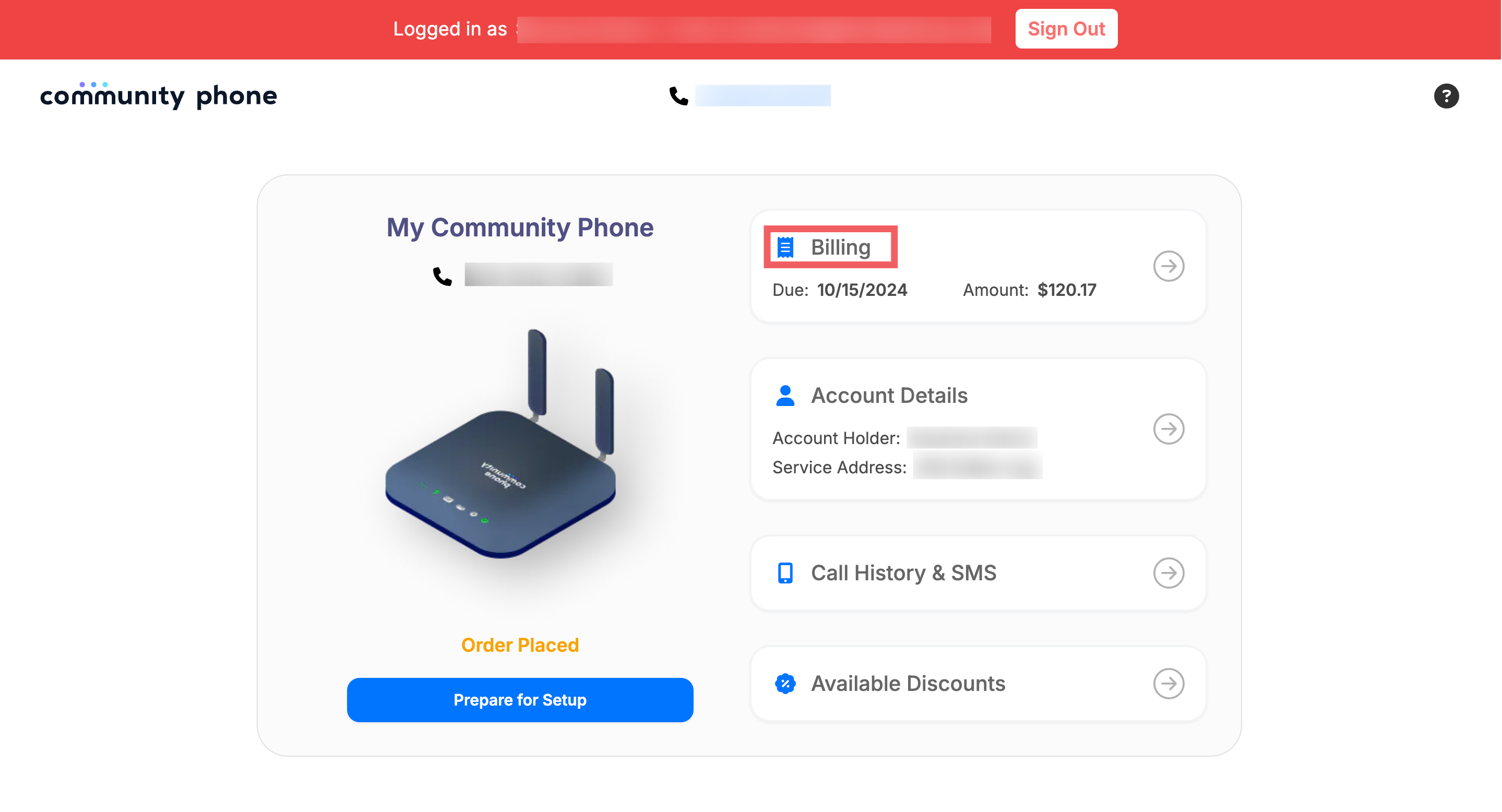
- This will take you to your billing and payment history.
- On the main dashboard page, locate and click on the Billing section.
-
Change Billing Date
- Under Payment Settings, click on Change Billing Date.
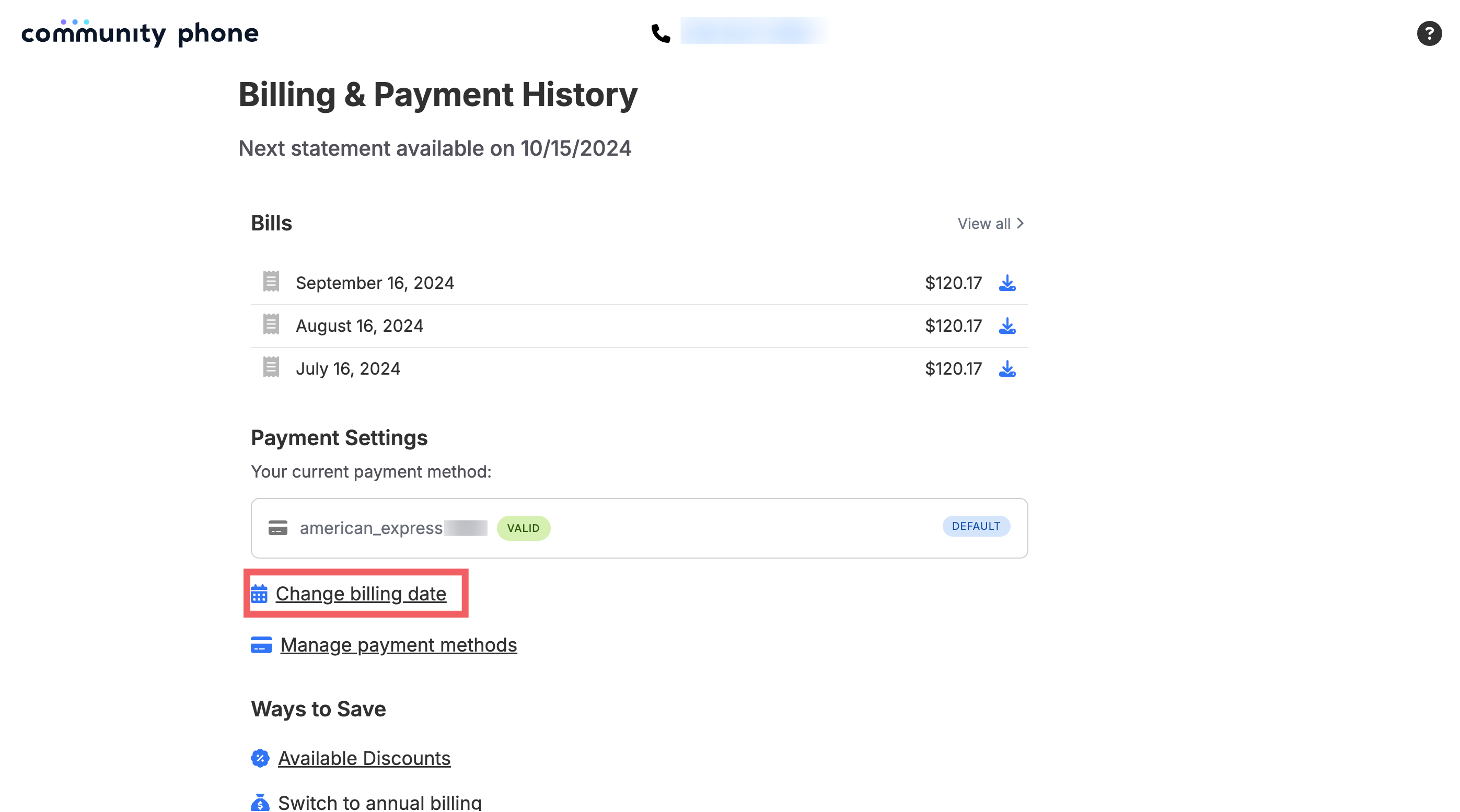
- From the drop-down menu, select your preferred billing date.
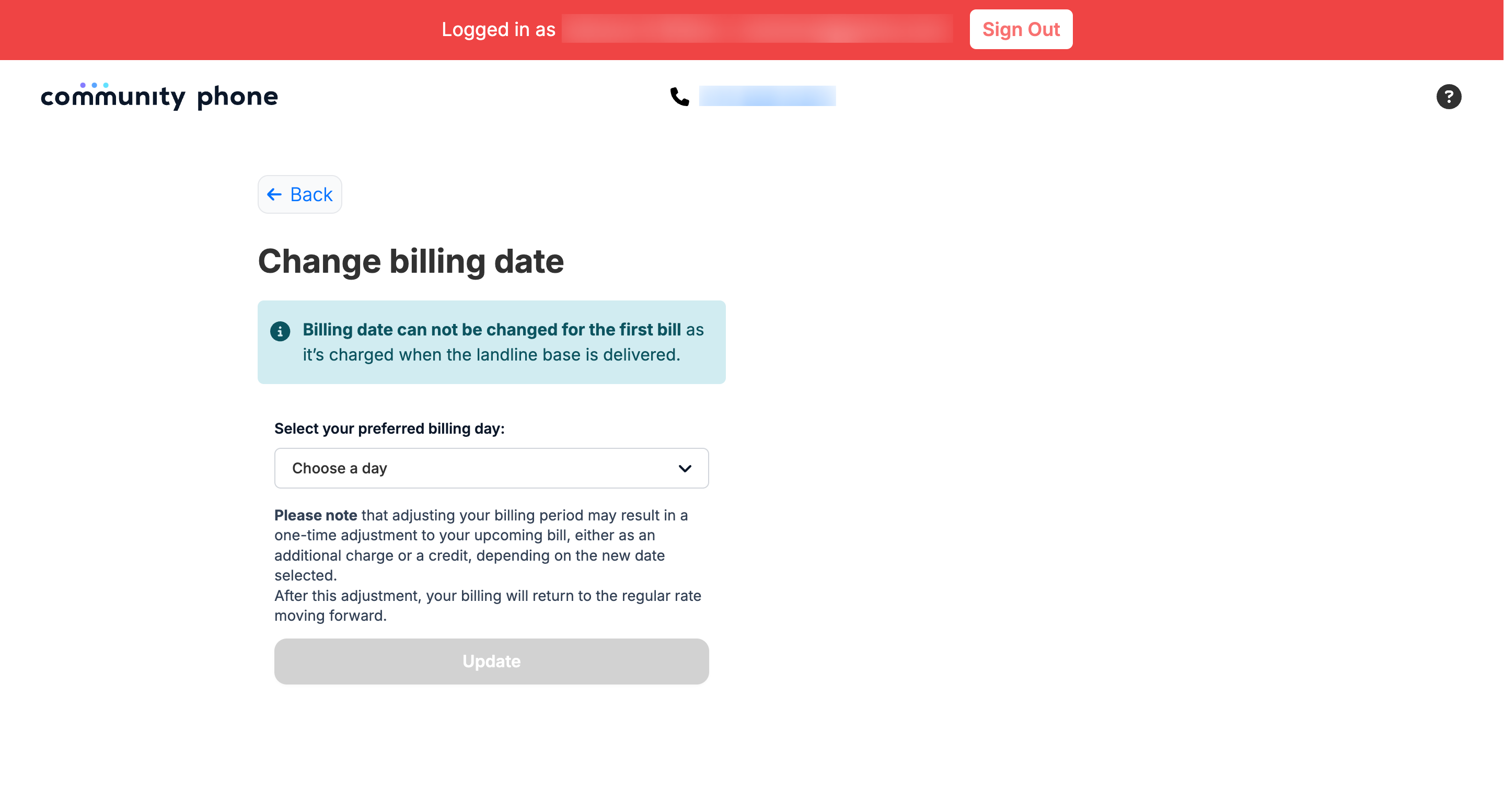
- Under Payment Settings, click on Change Billing Date.
Important Note
Adjusting your billing date may result in a one-time adjustment to your upcoming bill, either as an additional charge or a credit, depending on the new date selected. After this adjustment, your billing will return to the regular rate moving forward.